Journey certificates let admins issue a personalised PDF certificate to learners when they complete a journey. Certificates are configured per journey in "Settings" before the journey is published.
TABLE OF CONTENTS
- Enabling certificates
- The certificate editor
- Templates
- Downloading a test PDF
- Certificates and journey duplication
Enabling certificates
Certificates are off by default.
- Open the journey and go to "Settings"
- Find "Certificate" and toggle it on
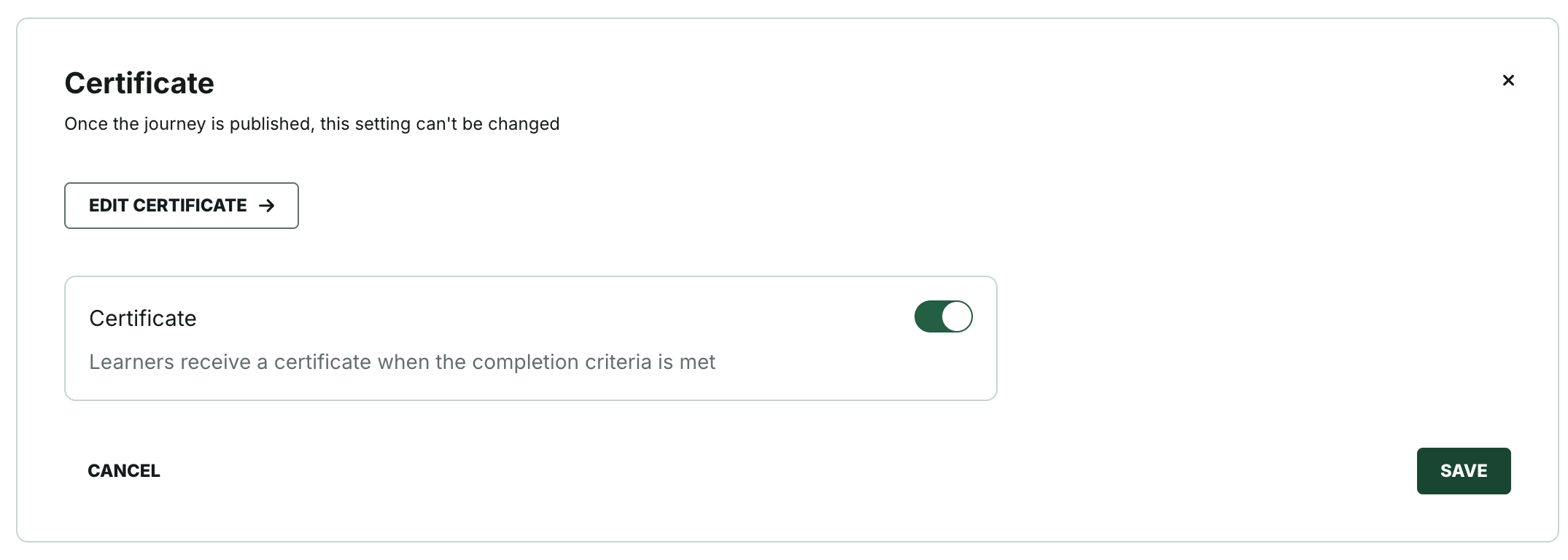
Once you publish the journey, the toggle locks permanently and cannot be changed. If you toggle certificates off before publishing, any saved certificate content is preserved.
The certificate editor
With certificates enabled, click "Edit certificate →" in "Settings" to open the editor.
The editor has two columns: a form on the left and a live preview on the right. The preview updates as you fill in the form.
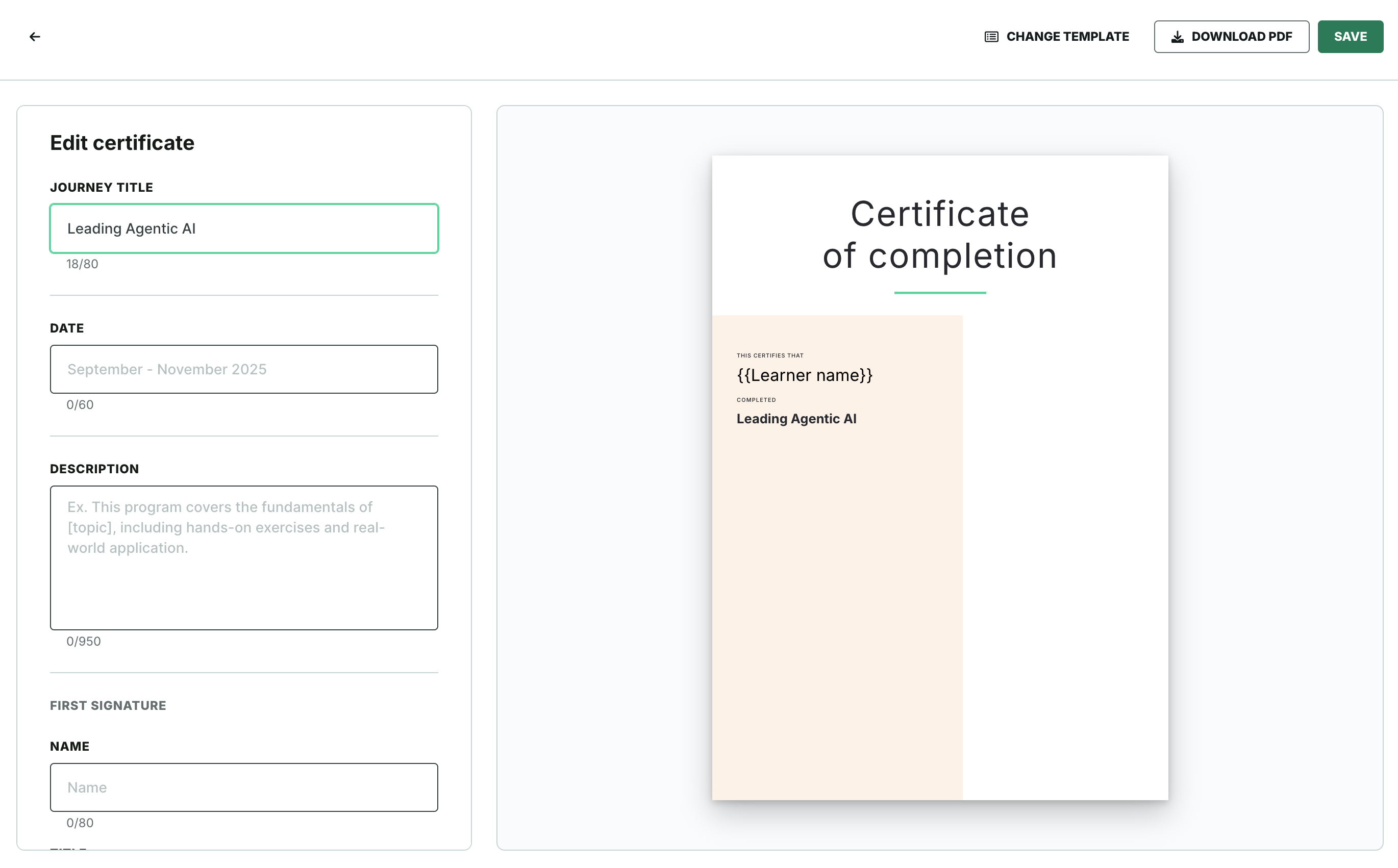
Journey information
- Journey title
- Start date
- End date
- Description
Signatories
You can add up to three signatories. For each:
- Name
- Title
- Institution
- Signature image — PNG only, max 20 MB, max 800 × 300 px
Logos
Two logo sections are available. For each:
- Logo image — PNG or SVG, max 20 MB
- Organisation name
Learner name
The certificate includes a personalised placeholder for the learner's first name. This populates automatically when a learner views or downloads their certificate.
Templates
Two templates are available: "Classic" and "Professional".
To switch templates:
- Click "Change template" in the editor
- Select a template
- Click "Apply"
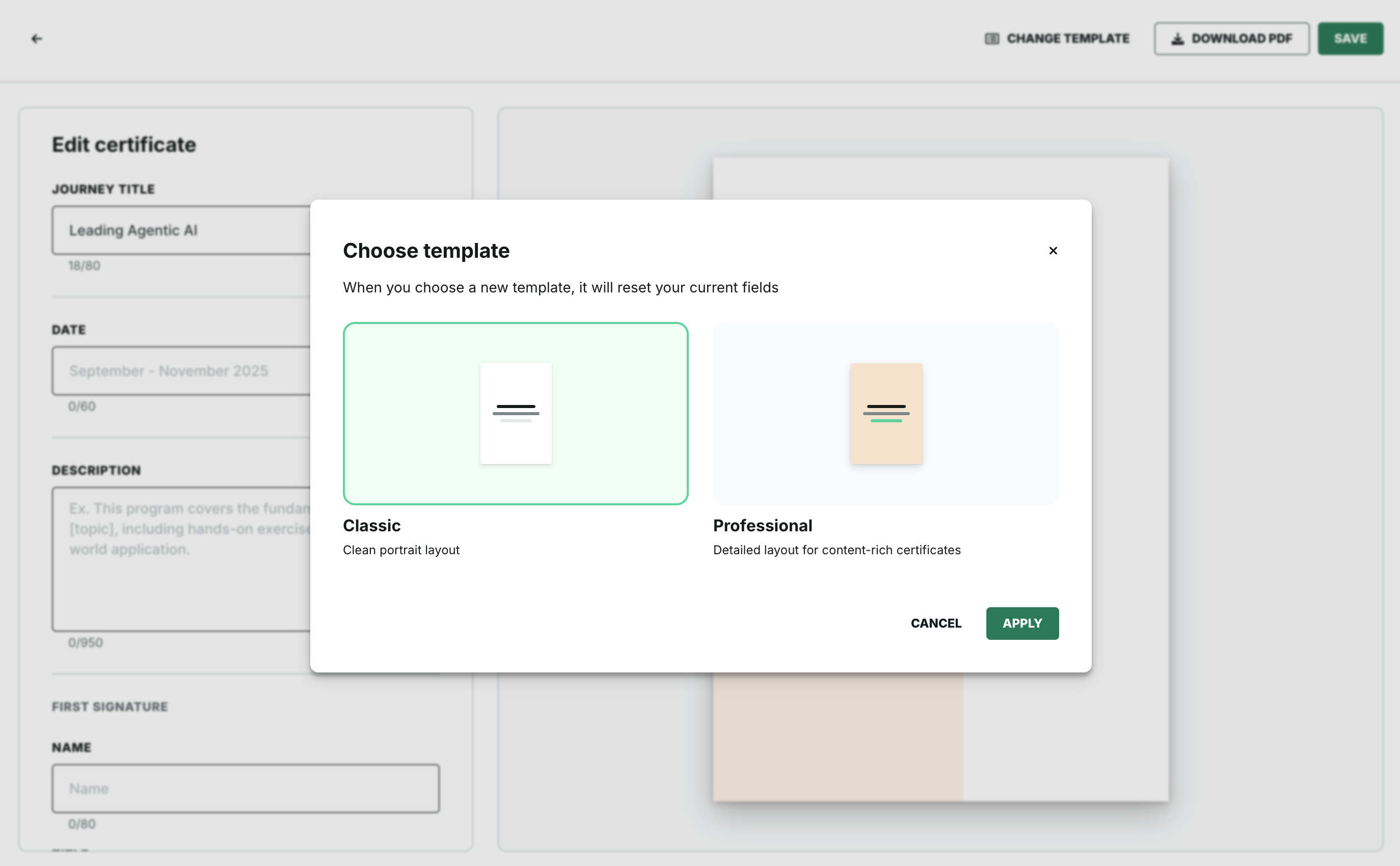
Switching templates resets all field values. Re-enter your details after switching.
Downloading a test PDF
To preview how the certificate will look to a learner:
- Click "Download pdf" in the editor
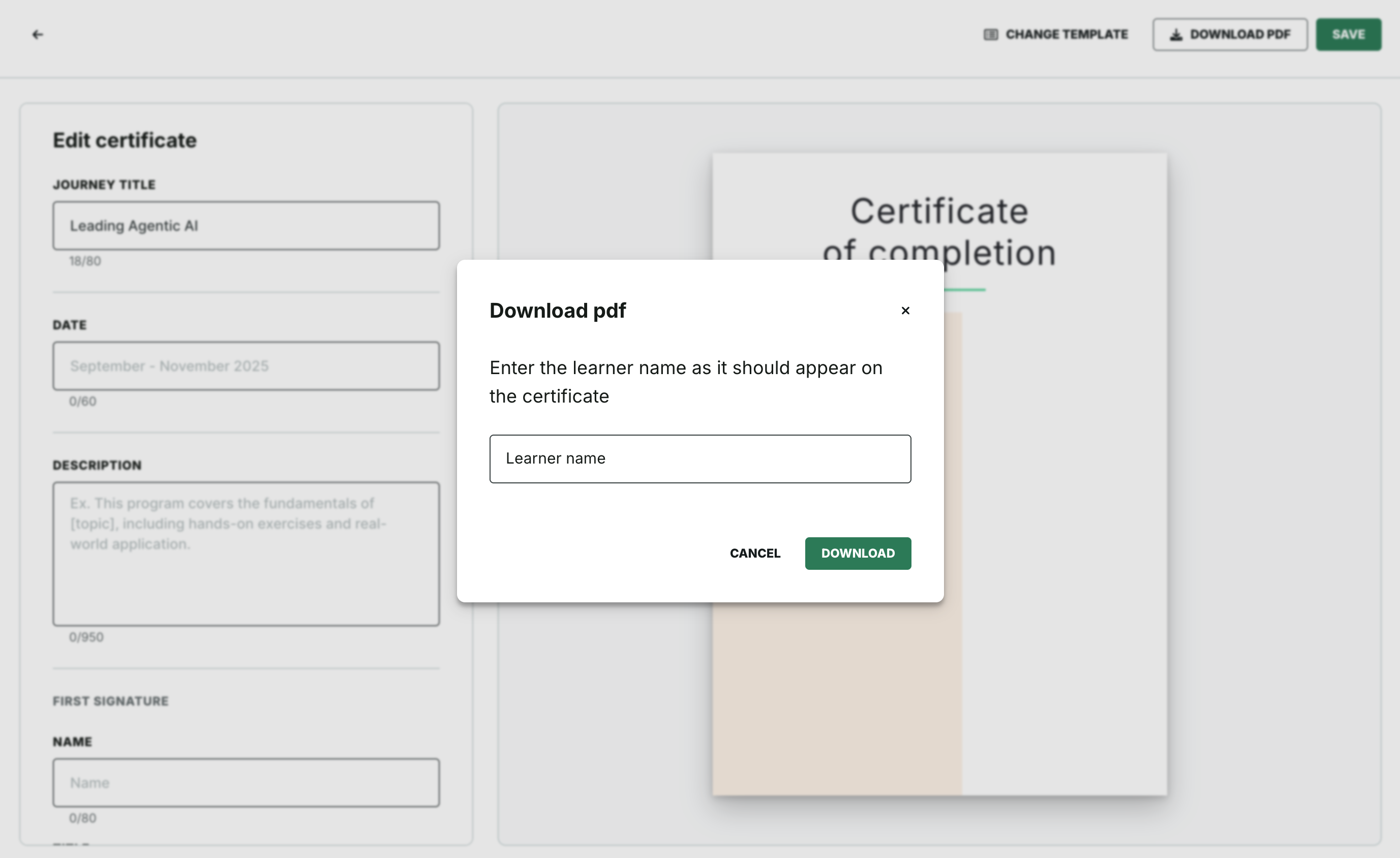
The download uses a sample learner name so you can see how the personalised name placeholder renders. This does not issue a certificate to any learner.
Certificates and journey duplication
When you duplicate a journey, all certificate configuration and content are copied to the duplicate. Because the duplicate starts as an unpublished journey, the certificate toggle is editable again.
Was this article helpful?
That’s Great!
Thank you for your feedback
Sorry! We couldn't be helpful
Thank you for your feedback
Feedback sent
We appreciate your effort and will try to fix the article