TABLE OF CONTENTS
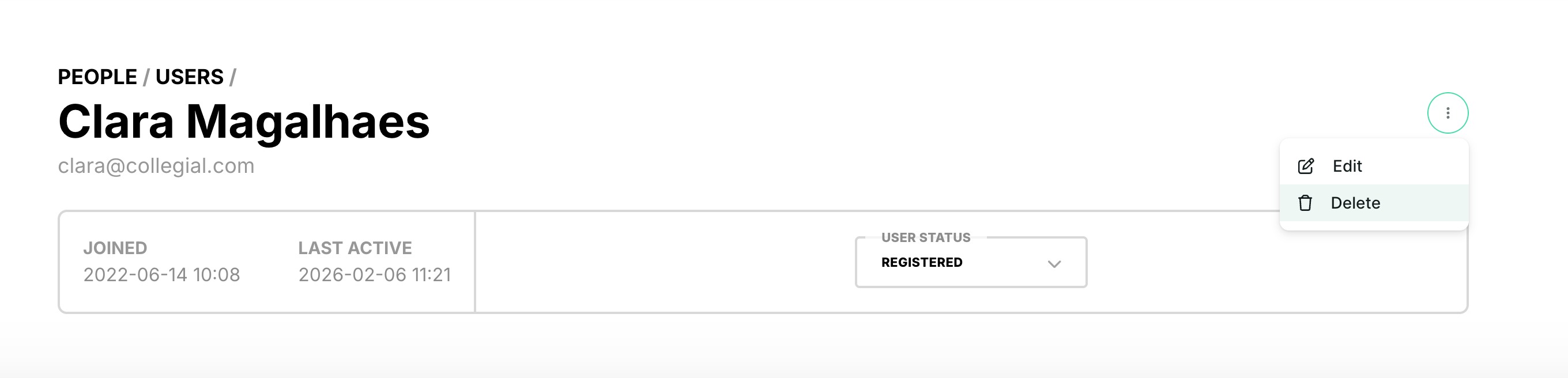
Admins can edit a user’s first name, last name, and username, or permanently delete a user after confirming the action.
Edit a user
- Go to the People tab
- Select a user to open their profile
- Select More → Edit
- Update First name, Last name, or Username
- Email, realm, and external ID are not editable for admins
- Only super admins can edit the email field
Delete a user
- Go to the People tab
- Select a user to open their profile
- Select More → Delete
- Confirm deletion in the modal to permanently remove the user
Permissions
- Only admins can view and use Edit and Delete in the People tab
- Admins can only manage users within their own realm
- Admins cannot view, edit, or delete users outside their own realm
Was this article helpful?
That’s Great!
Thank you for your feedback
Sorry! We couldn't be helpful
Thank you for your feedback
Feedback sent
We appreciate your effort and will try to fix the article